




There are roughly 150,000 managed service providers worldwide competing for attention today. With so many MSPs online, standing out isn’t easy. To most businesses, providers look the same, which leads to low engagement, short visits, and missed opportunities, even when traffic is coming in.
Many MSPs turn to paid ads to fill the pipeline. That can work, but it’s expensive, and the leads disappear as soon as the budget stops. At the same time, managing client environments, handling security issues, and keeping operations running leaves little room to focus on long-term marketing.
MSP SEO solves this.
We’ve helped 128+ MSPs attract businesses actively searching for managed IT services, cybersecurity, and cloud support. The approach below shows how to build lasting visibility and bring in better-fit clients over time.
Why Should an MSP Invest in SEO?
Think about how business owners shop for IT services today. They don’t flip through the Yellow Pages. They don’t usually ask their neighbor. They go to Google.
When their network goes down, or they’re thinking about switching managed IT providers, they type things like:
- IT support near me
- MSP in Atlanta
- cybersecurity services for small business
The MSPs that appear at the top of those results are the ones who are reviewed and get the calls. The rest are invisible.
Of course, you can gain visibility through other channels, such as paid ads. That works. But it comes with limits.
Here’s why SEO is worth the investment for MSPs.
- Paid ads stop the moment you stop paying. PPC can be expensive, especially in competitive IT markets. Once the budget runs out, the leads stop.
- SEO builds long-term visibility. When your site ranks, it keeps bringing in traffic month after month without paying for every click.
- SEO builds trust with Google and buyers. Ranking consistently signals authority. Prospects trust organic results more than ads, especially for IT services.
- SEO compounds over time. Each page, link, and piece of content strengthens the next. Results don’t reset every month.
- You attract higher-value clients. When you target the right services, locations, and industries, you attract businesses actively seeking what you offer.
- SEO helps you stand out in a crowded MSP market. Strong rankings show scale, credibility, and focus, before a prospect ever speaks to you.
- You get better-fit traffic. SEO brings in visitors who searched for a specific solution. That usually means lower bounce rates and more qualified conversations.
That’s the simplest way to think about SEO: it’s a cost-effective set of steps that help you show up when people search for the very services you offer.
And unlike ads, where you stop getting leads the moment you stop paying, SEO builds a foundation. Once you rank, you keep attracting clients month after month.
Now, let’s see how exactly you can do MSP SEO by yourself using our strategies.
Start with Keyword Research: Figure Out What Your Clients Are Searching For
What you call your MSP service and what clients type are often different. To figure out what your potential client searches, use keyword research tools.
First, write down your services:
- IT infrastructure management
- cybersecurity services
- help desk & technical support
- cloud services & migration
- data backup & disaster recovery
Once you have your list, go to keyword research tools, like Ahrefs or Google Keyword Planner, and explore: you’ll see which of those terms are searched online, in which locations they are active, and more.
Let’s explore this with an example: Imagine you serve clients in New Jersey. You type “msp in nj” into Ahrefs’ Keywords Explorer. You’ll see:
- Search volume: How many people look for this term each month?
- Keyword difficulty: How tough is it to compete?
- Global search volume: How many times per month, on average, do people search for this term across all countries?
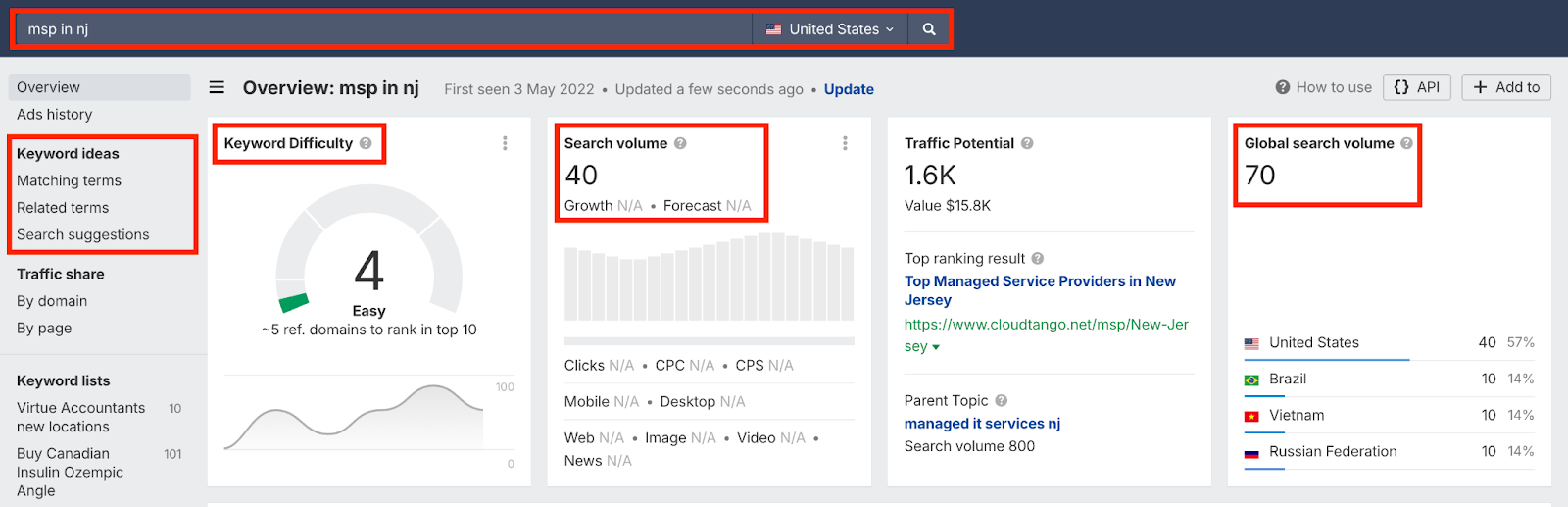
But don’t stop there. Ahrefs also shows matching terms, related terms, and search suggestions. You might find that “managed it services nj” has ~20 times the search traffic of “msp in nj.”
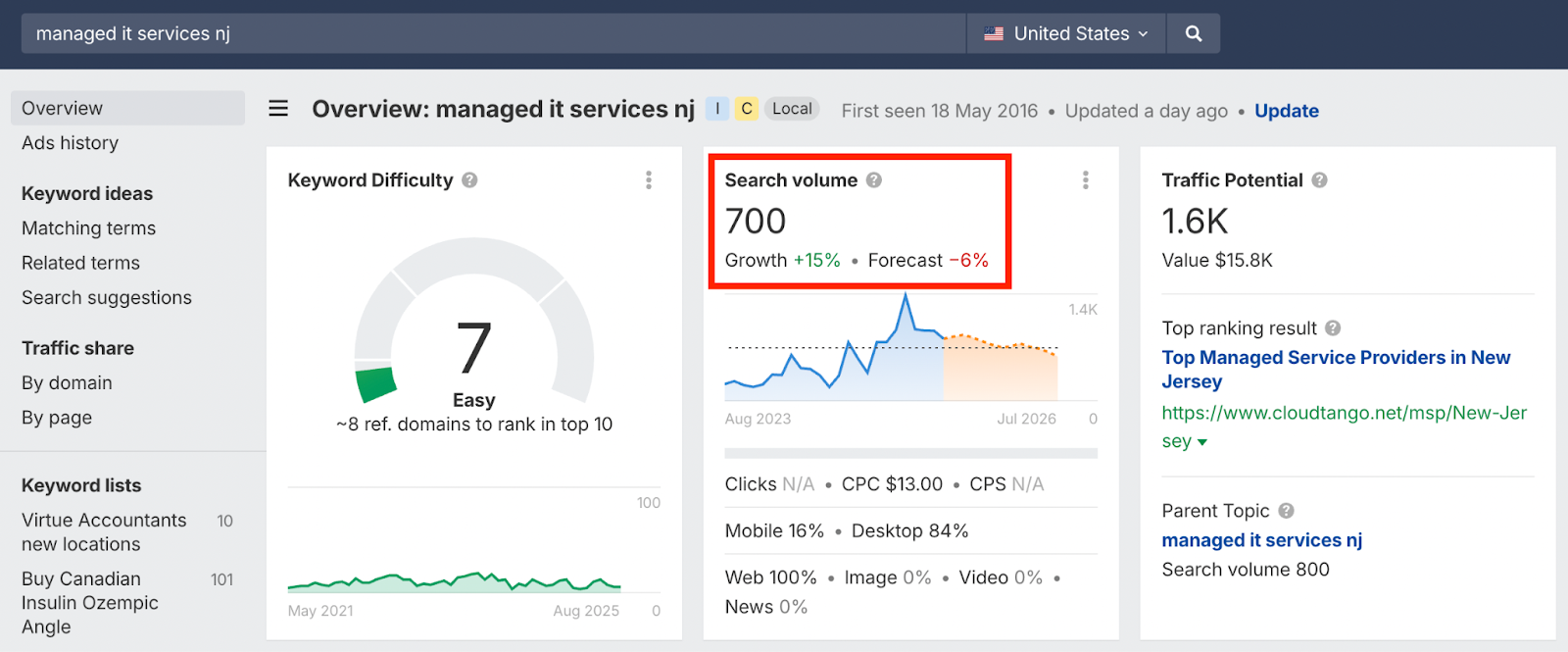
That’s a lightbulb moment. You realize most small business owners might not be typing “MSP.” They type “IT support” or “managed IT.”
You can narrow down your search by using a filter like intent or location to find the right keywords:
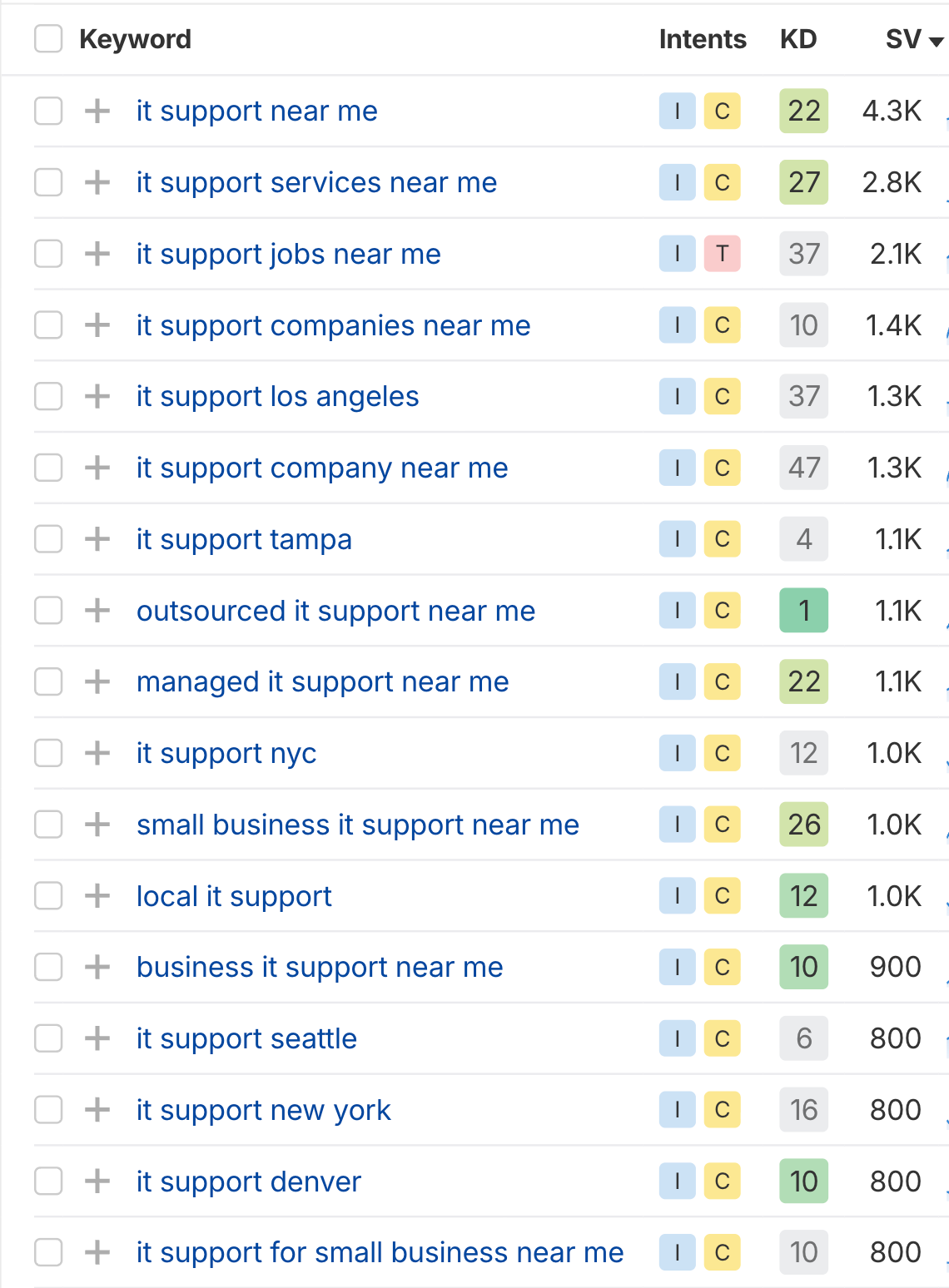
This MSP SEO step helped you align your website with what real humans search for.
Top 20 Real Keywords for MSPs
Transactional Keywords (for Service Pages)
- managed service provider
- managed it support
- it support for law firms
- it support for manufacturing
- managed cybersecurity
- it services for nonprofits
- it support for financial services
- it consultancy services
- help desk services
- it infrastructure management companies
Informational Keywords (for Blog)
- breadth vs depth
- networking support for cloud computing
- exactis data breach
- network types
- managed services plans
- cybersecurity risk management framework
- cost of it
- managed services agreement
- how to link sharepoint to file explorer
- managing linux computers using system center configuration manager
Now that you have this list, you can start mapping your pages accordingly. If you need support doing so, contact us, and we’ll do it for you.
Structure Your Website for Usability and SEO
Next up, let’s look at the essential pages every MSP website should include:
- Homepage: Clearly explain your IT services, who you support, and how to get started.
- About Us: Show your experience, certifications, and what makes your MSP different.
- Contact Us: Make it easy to reach you for support, quotes, or consultations.
All of those pages should be linked in your navigation menu so visitors can find them.
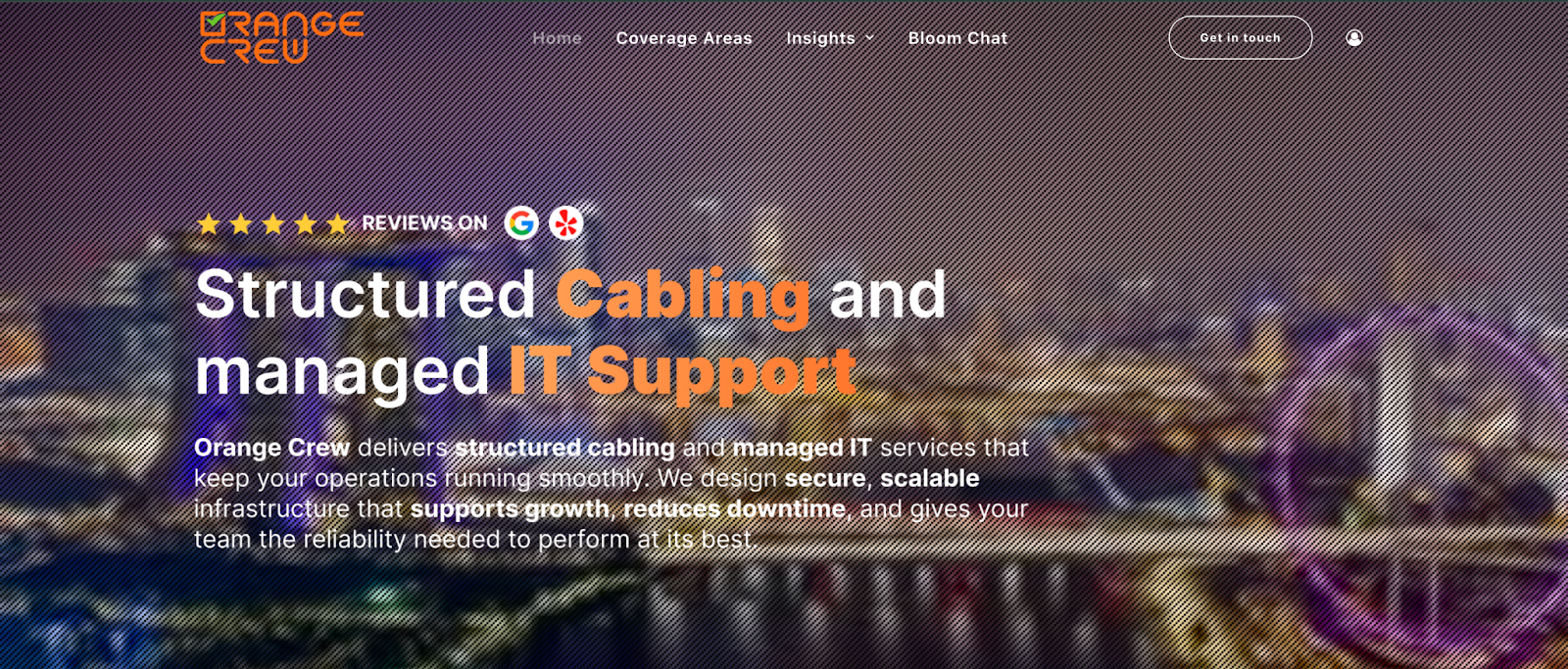
Other than those, there are four types of pages you must have. Let’s explore each one in detail.
Service Pages
Most prospects aren’t searching for every service an MSP provides. They’re searching for one problem at a time. Someone might need managed cybersecurity services or cloud management for small businesses, not a general MSP overview.
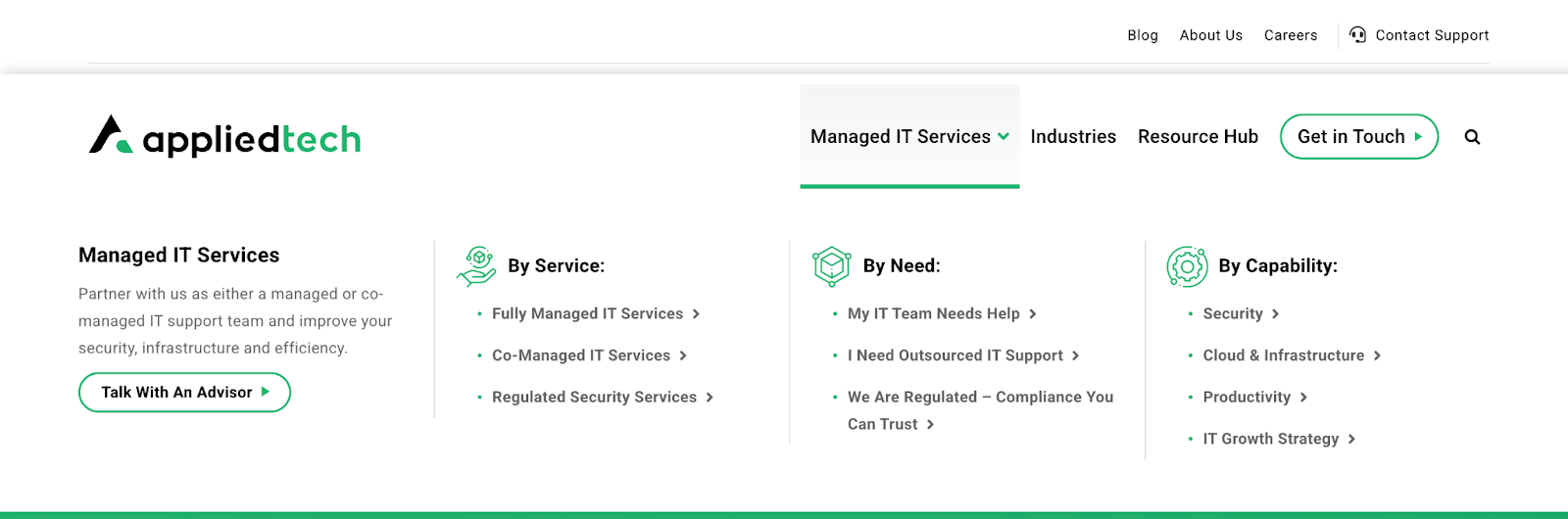
Dedicated service pages let you clearly explain a single service, match search intent, and guide visitors toward a conversion.
Local Pages
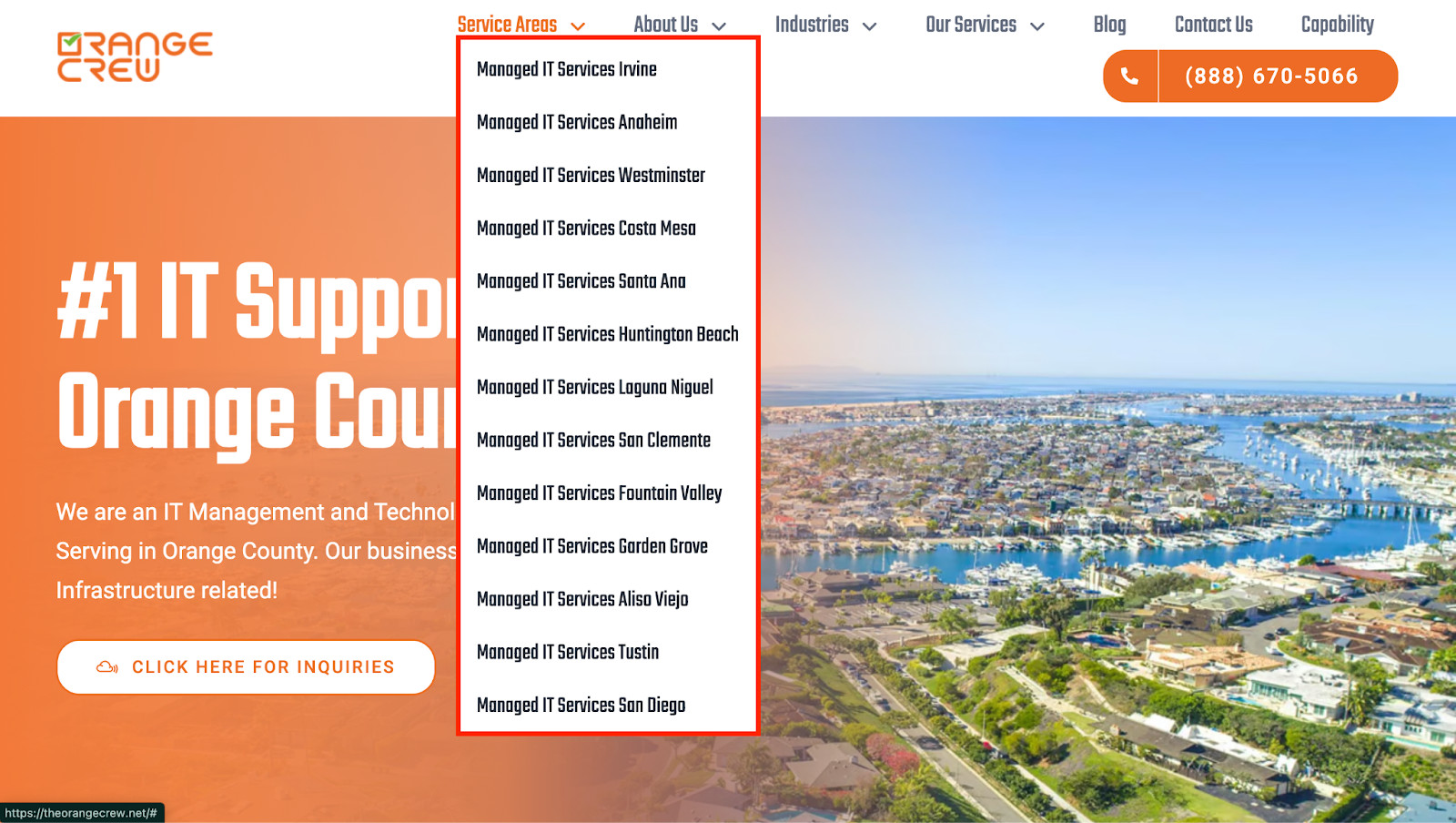
Many MSP searches include a city or region. Pages like IT support in Austin or managed IT services in Phoenix help you show up for those location-based searches. They also reassure visitors that you understand their area, their businesses, and their local needs.
Industry Pages
Different industries have different compliance rules, risks, and expectations. Different industries come with different risks and rules. Healthcare deals with HIPAA requirements. Financial firms deal with strict regulatory oversight. So, a law firm and a manufacturing company don’t look for the same IT support.
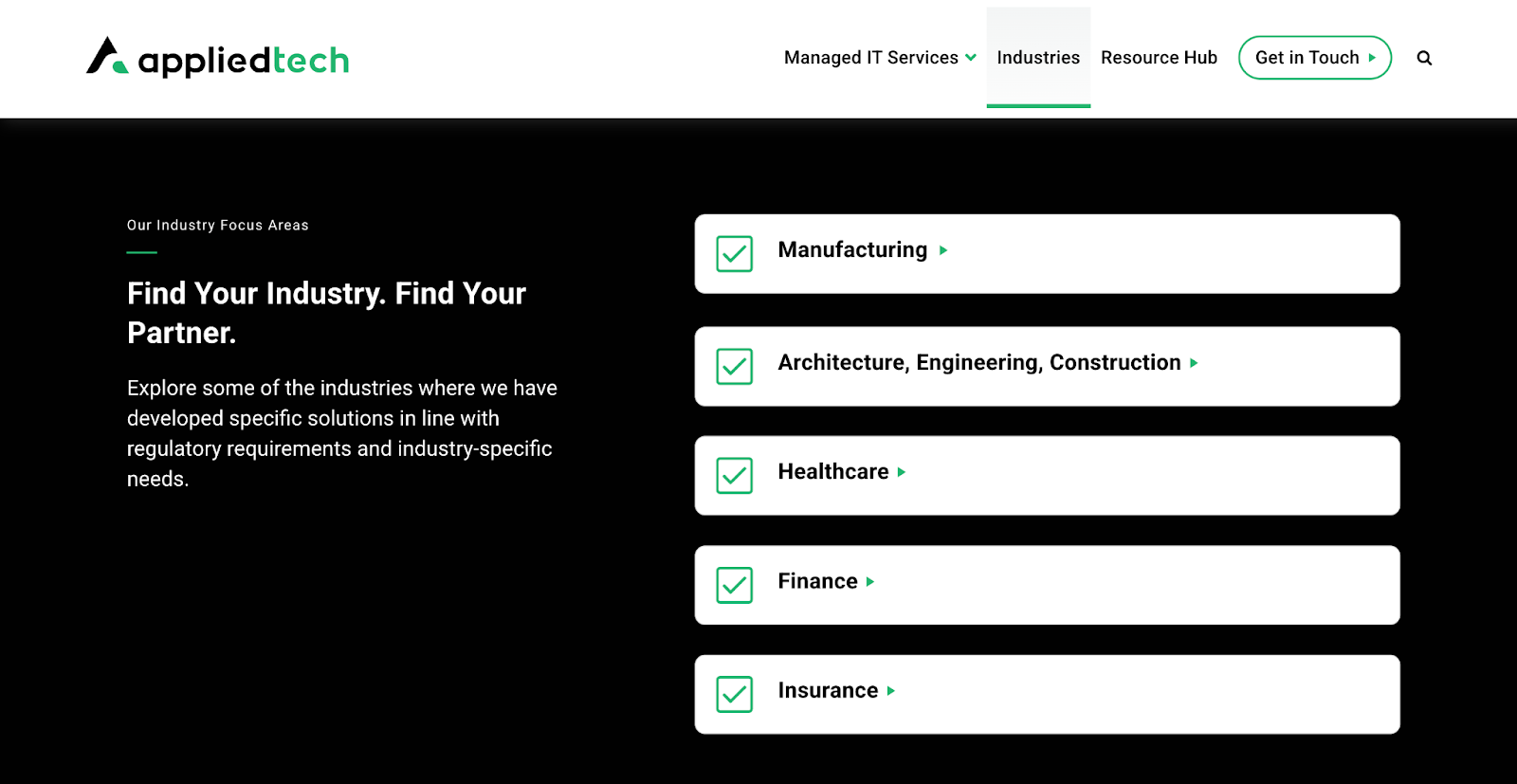
Individual industry pages let you address those concerns, demonstrate that you understand the compliance pressure, and explain how your MSP handles security, backups, and access controls for that specific field.

Informational Pages
Informational pages are your education hub. These include blog posts, case studies, white papers, FAQs, and even guides or checklists. They answer common questions, explain complex topics in plain language, and show real-world results from clients you’ve helped. These pages attract early-stage visitors and build trust long before someone is ready to reach out.
Do Local SEO for Your MSP
Think about how most businesses choose an MSP: they don’t search nationwide; they look for someone close by. Someone who understands their area and feels reachable.
That’s why local MSP SEO matters. When a business searches for IT help, Google tries to show providers that operate near them. If your site doesn’t clearly show where you work, Google has a harder time putting you in front of the right people.
If you serve specific cities or regions, your website needs to say that clearly.
Single-Location MSPs
If your MSP operates in a single city or state, your main pages should reflect that. Your homepage, service pages, and contact page should all make it clear where you’re based and who you serve. Use terms like:
- managed it services in chicago
- chicago cybersecurity services
- it support near me
Use these location-based terms naturally in your page copy, headings, and URLs.

Not stuffing them everywhere, just making your location obvious so both Google and visitors understand where you operate.
Multi-Location & National MSPs
If you serve multiple cities, states, or regions, your site structure needs to reflect that reach.
Your homepage can stay more general, but your location pages need to be specific.

If you provide services in markets like Orlando, Houston, and Delaware, each market should have its own page. These pages should explain:
- What services you offer in that location
- Who you typically work with there
- How clients in that area can reach you
Those location pages should also live in clean, readable URLs that include the city or region. This helps Google connect your services to each market and helps visitors instantly confirm they’re in the right place.
International MSPs
If you operate internationally, the logic stays the same, just at a country level. Each market you serve should have its own country page or subfolder. For example:
- /uk/
- /uae/
- /eu/
- Or individual country pages like /de/ if you serve Germany directly.
If there’s search demand in that country and you actively serve it, you should have content built for that market. If you’re planning to expand, this often turns into international SEO and content translation decisions.

At that point, getting guidance matters. If you need help mapping this out, we’ve worked with MSPs on international SEO and can help you choose the right setup for each market. Just contact us.
Google Business Profile: Where Local Searches Start
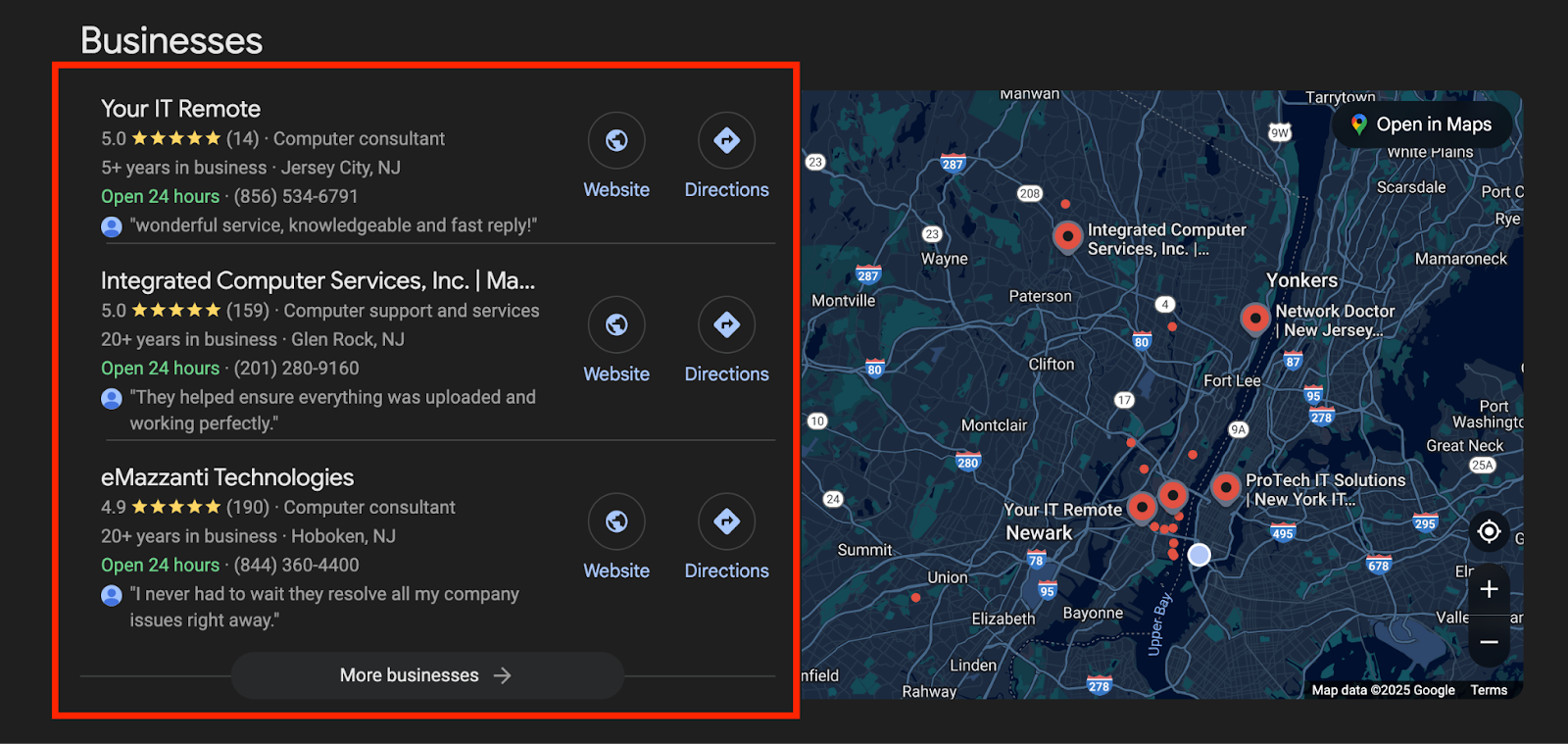
When someone searches locally, the first thing they usually see isn’t a website. It’s the map.
Google shows a map pack with nearby providers before most organic results. If your MSP isn’t visible there, you’re missing high-intent traffic. So, local SEO for MSPs includes optimizing your Google Business Profile.
Start with the basics:
- List all your key services.
- Make sure your name, address, and phone number match everywhere online.
- Add your website link and business hours.
- Write a clear business description that explains who you help and what you do.
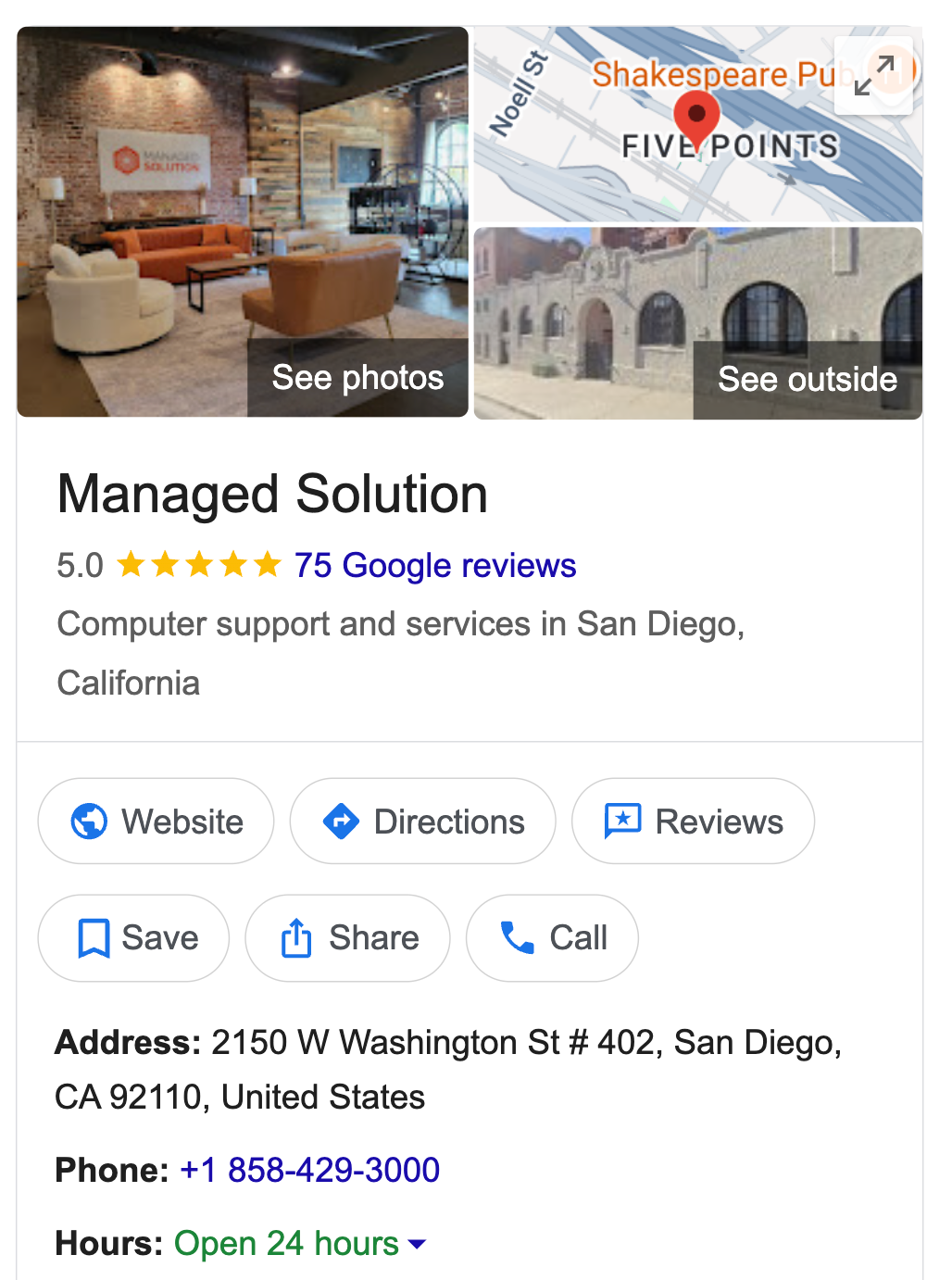
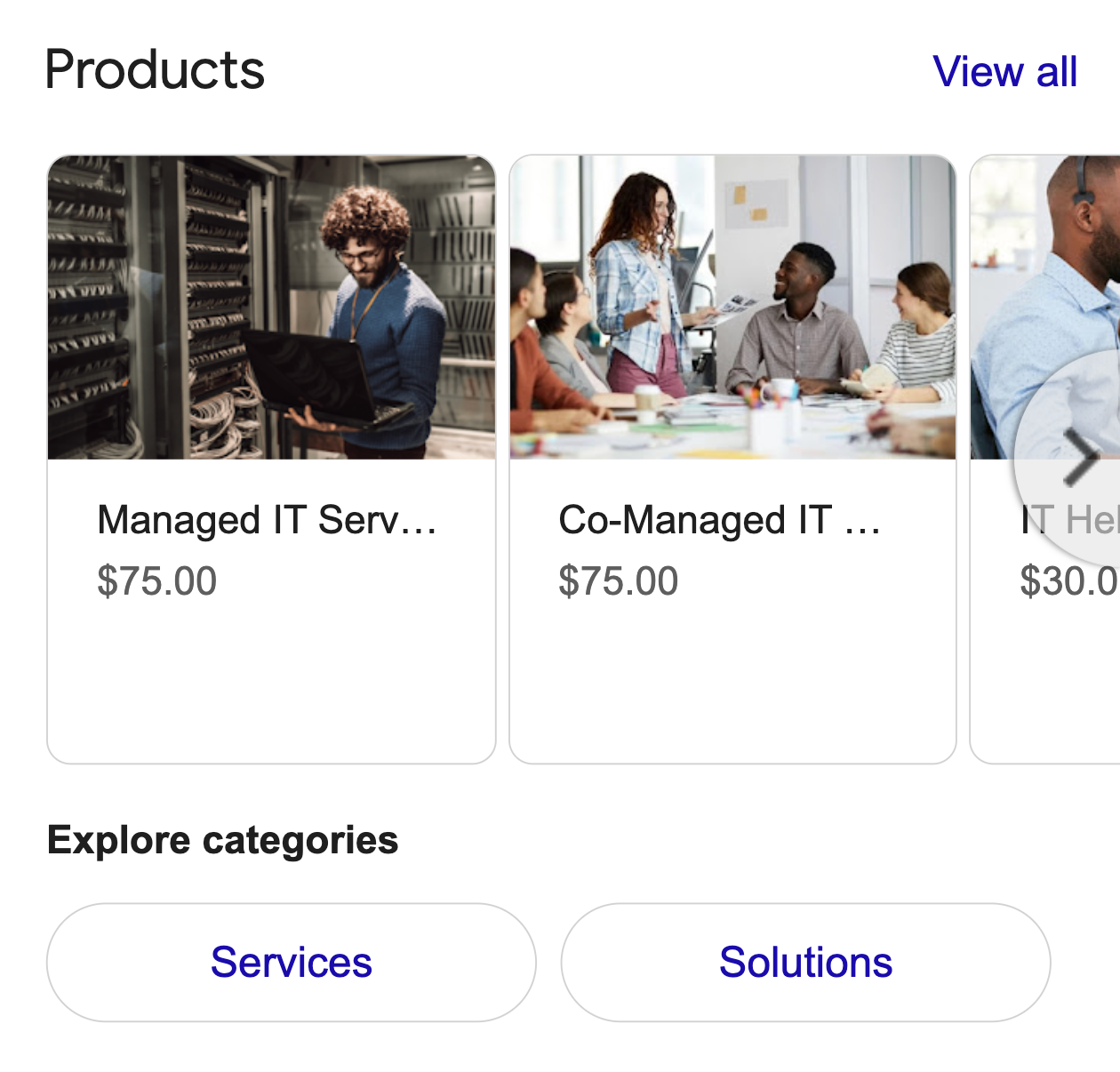
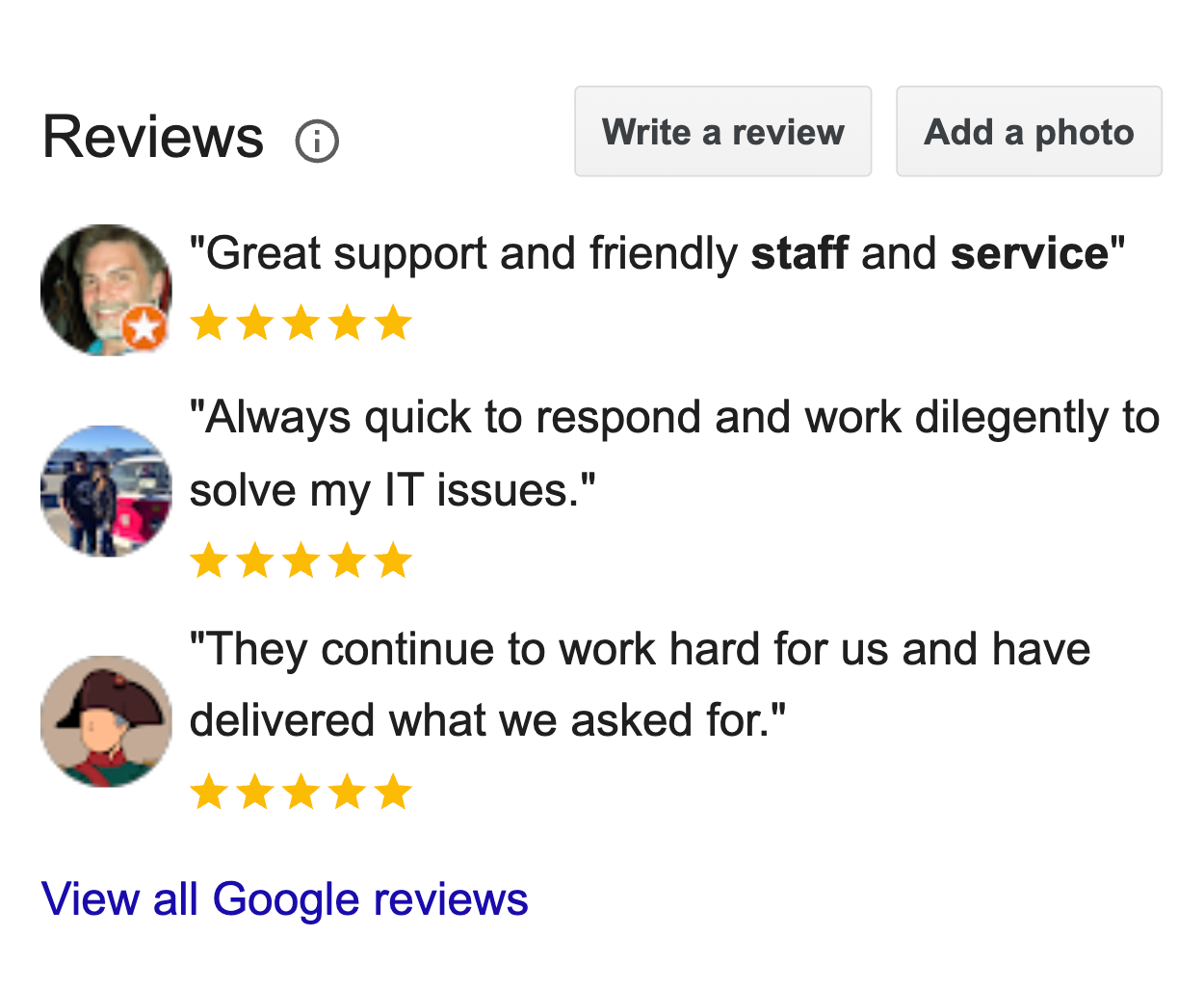
Once this is set up properly, Google has stronger signals to show your business in local searches and connect searchers directly with your MSP.
Fill Your MSP Website With Content That Builds Trust
Once the right pages and location structure are in place, the next step is content.
This is what helps you rank in search and what convinces visitors they can trust you once they land. Good content does both at once. It answers real questions, shows what you do clearly, and makes it easy for someone to say, “Yes, this MSP knows what they’re talking about.”
To make that happen, your content needs to show proof and real signals that tell visitors you’re capable, prepared, and reliable.
Here are some MSP-specific trust builders to highlight clearly:
- Media features or mentions where your MSP has been quoted or interviewed.
- 24/7 monitoring and protection against malware, ransomware, and unauthorized access.
- Clearly defined incident response coverage, including how fast your team responds when something breaks.
- Security stack details, such as endpoint protection, backups, and threat detection.
- Service guarantees or response time commitments, if you offer them.
Additional trust signals that support conversions:
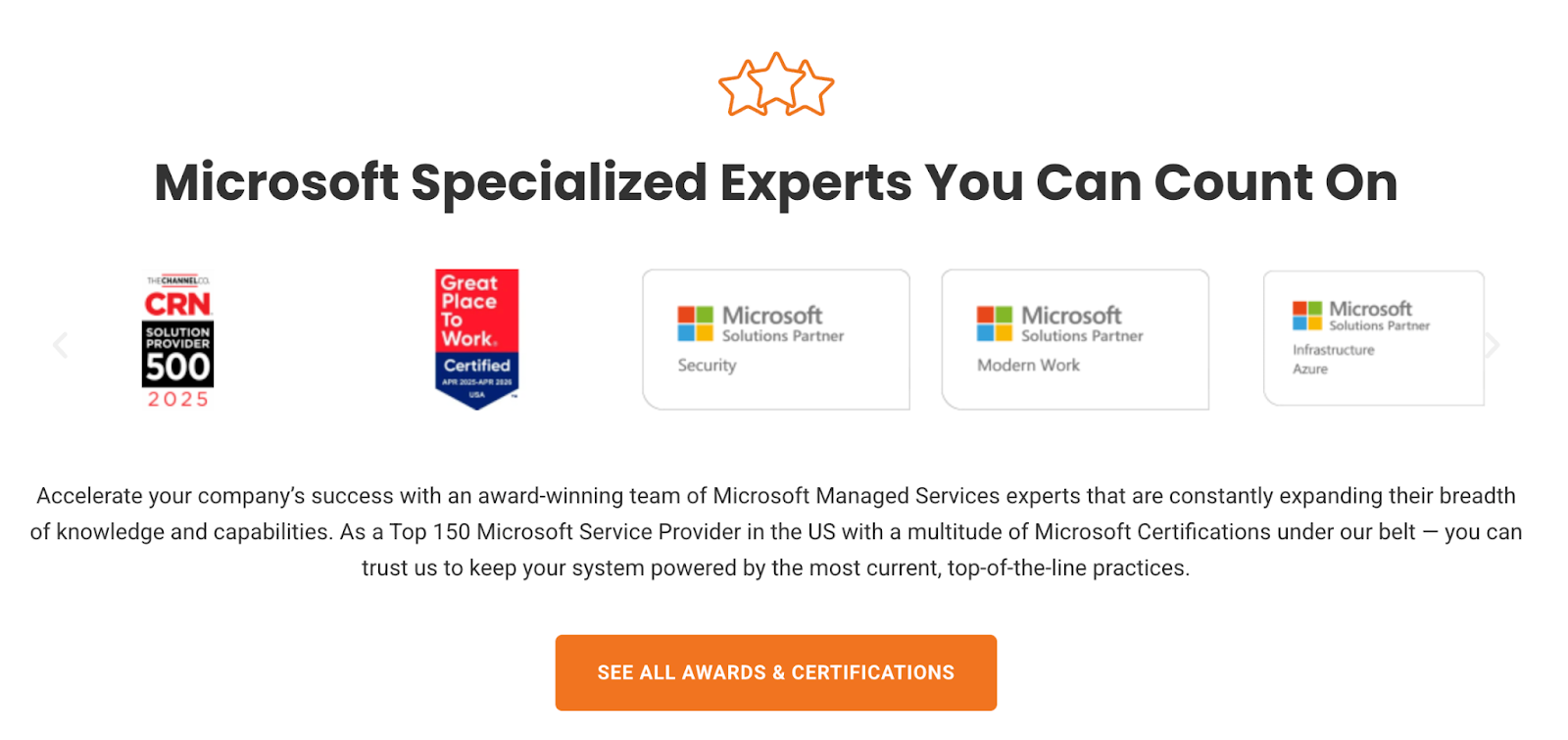
- Awards and certifications that show your service excellence.
- Client reviews that highlight your strengths.

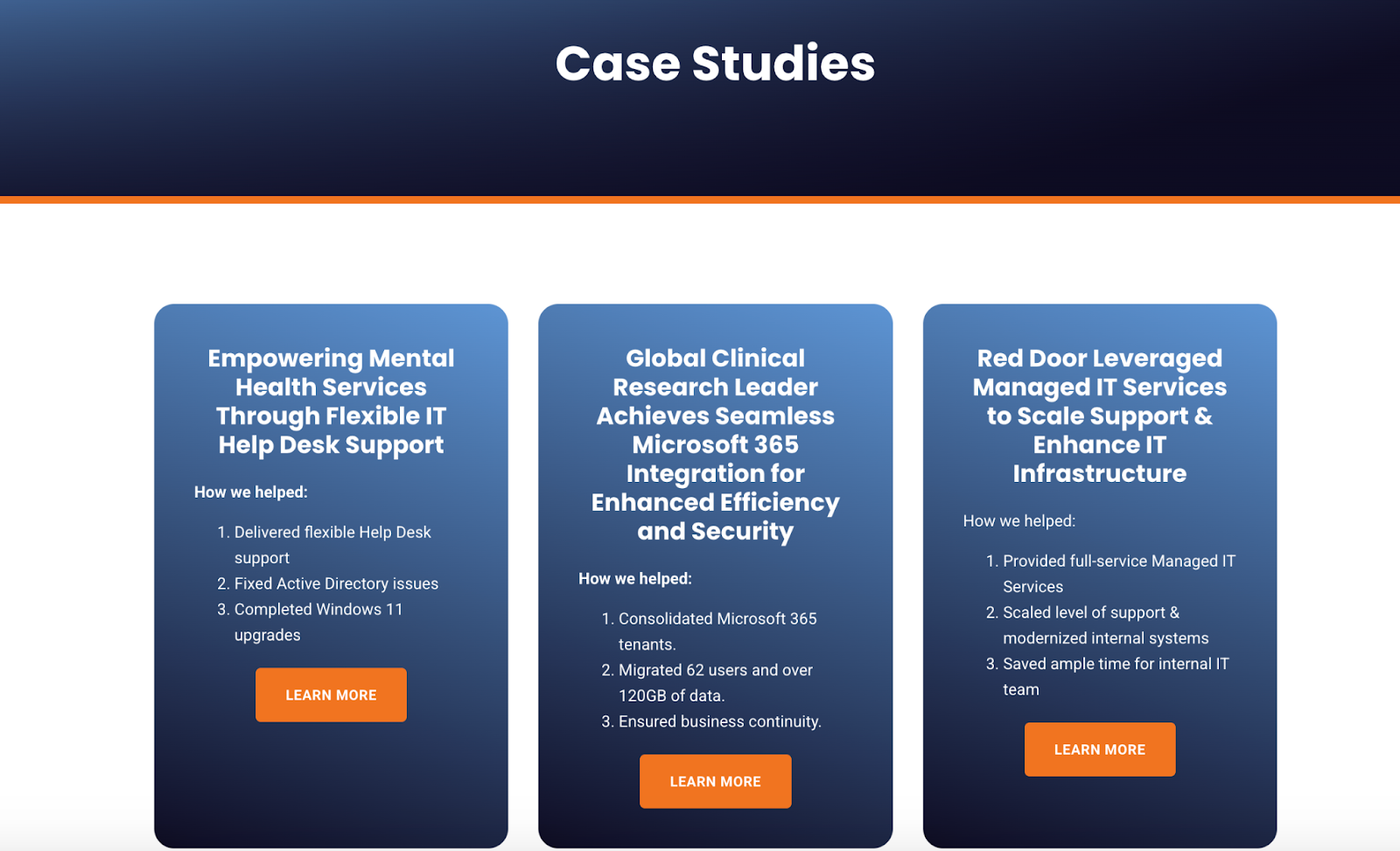
- Case studies that show before-and-after outcomes.
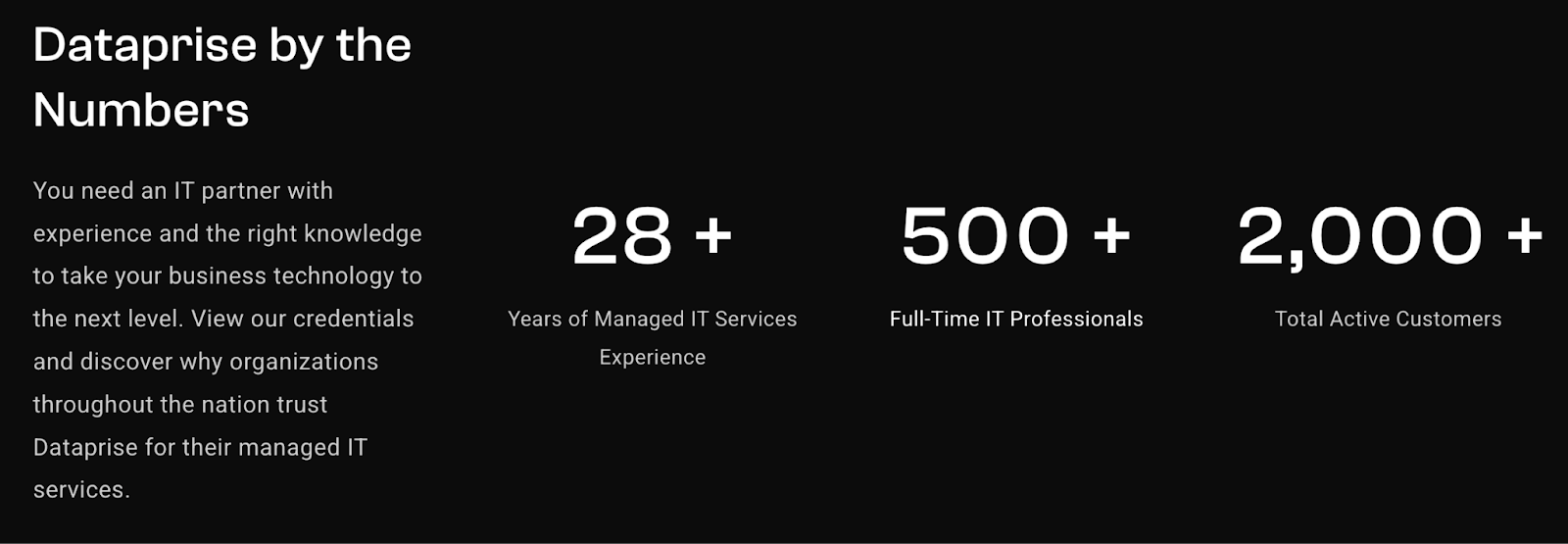
- Numerical trust signals that show experience in years, results, and achievements.
- Clear contact information and easy ways to reach a real person.

When visitors see these elements, they feel safer reaching out.
Use Blog Content to Reach Early-Stage Prospects
Not everyone who finds your site is ready to become a client. Most are still researching, comparing options, or trying to understand their problem.
Blog content lets you show up early in the search process, answer real questions, and build familiarity. When the time comes to choose an MSP, they already recognize your name and trust your guidance.
To do this well, your blog needs to be built around informational searches.
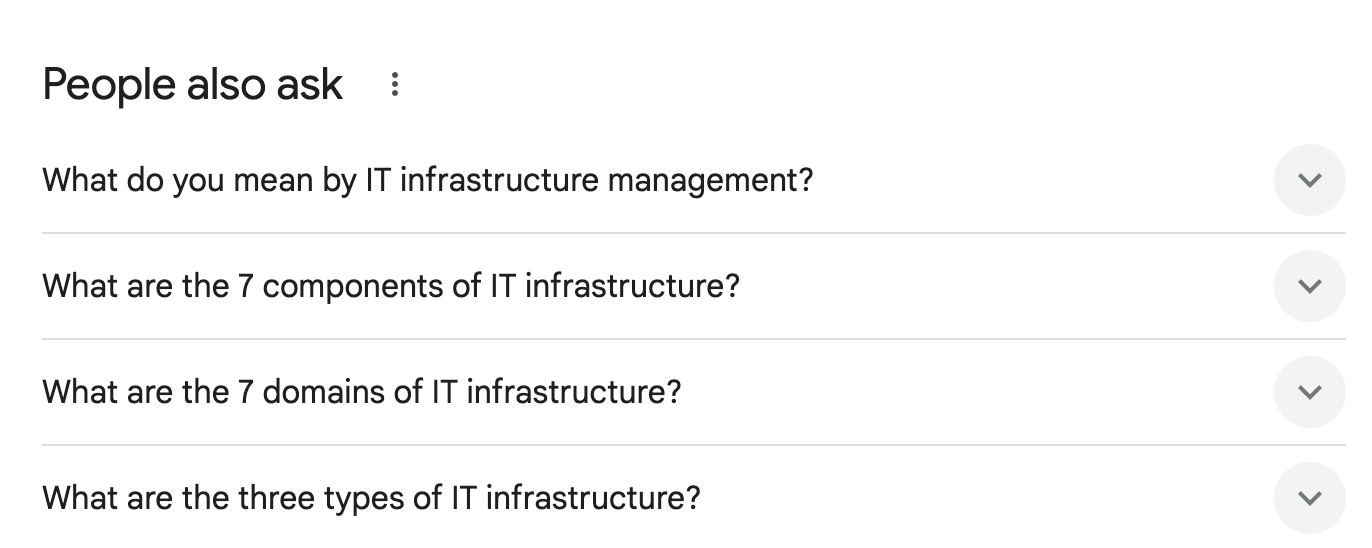
Start with the keywords you’ve already identified. Then look for questions people are actively asking. Tools like Google’s People Also Ask and Ahrefs’ question reports show exactly what business owners want to know.
Common examples include:
- What does a managed IT provider do?”
- How much does cybersecurity cost for small businesses?
- Do small businesses need 24/7 IT monitoring?
Build blog posts that answer one clear question at a time.
Inside each post:
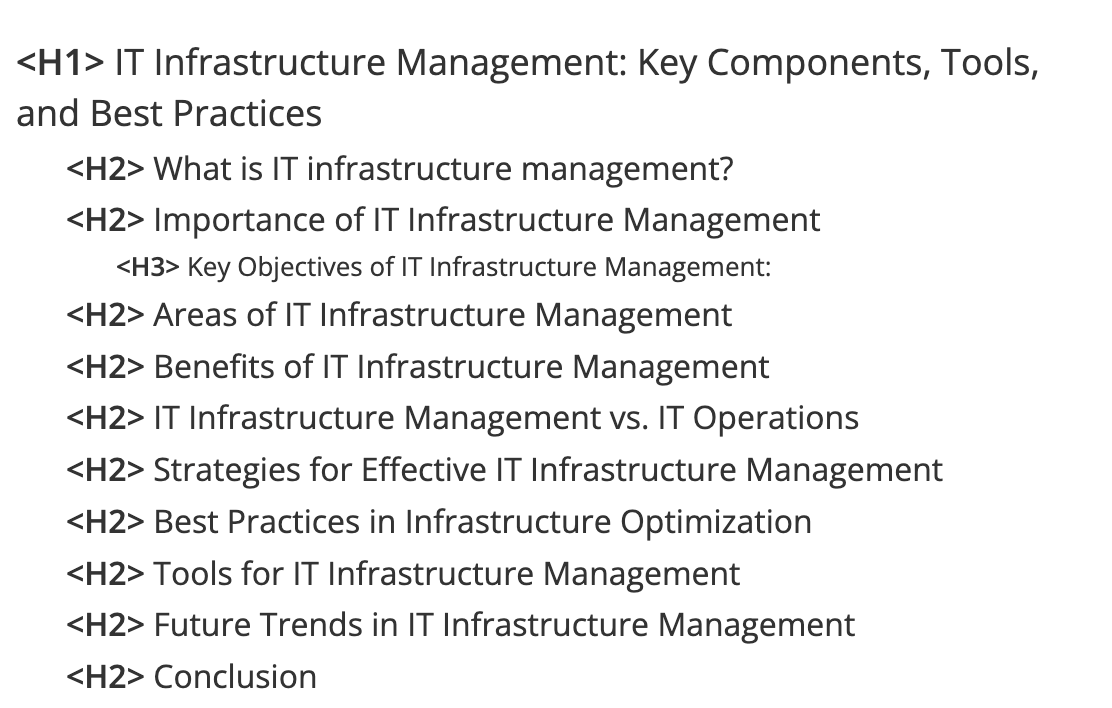
- Use clear headings and heading hierarchy so the content is easy to scan.
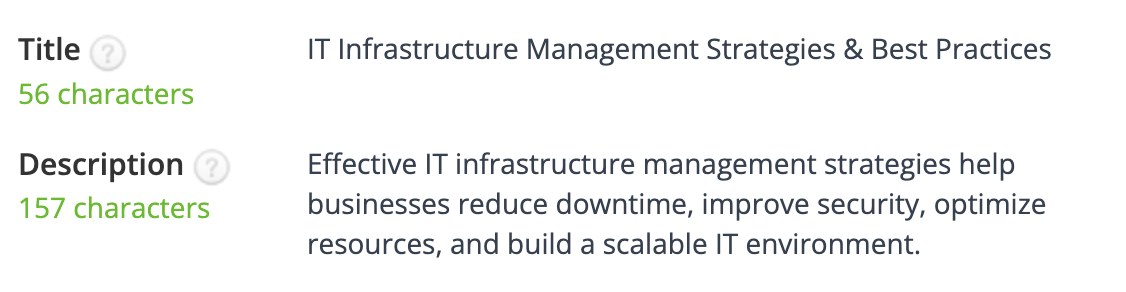
- Include the main keyword in the meta title and meta description.
- Write the way people talk, not the way vendors write.
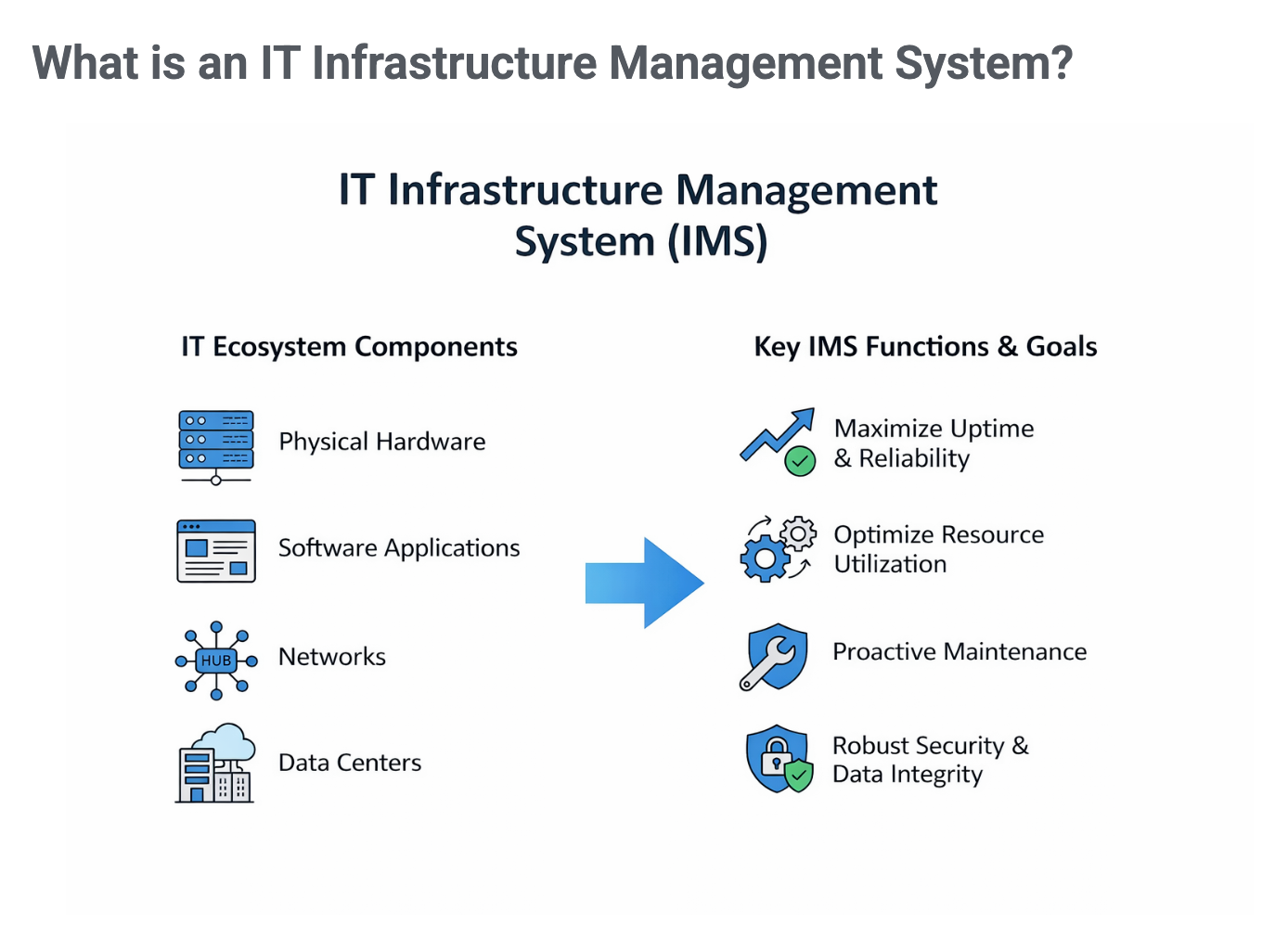
- Add images, diagrams, or short videos to break up the text.
- Use real examples from client work when possible.
Case-based blog posts work especially well. Writing about real situations you’ve handled makes your content more believable and easier to trust.
Done right, your blog becomes more than traffic. It becomes the reason prospects remember you when they’re ready to make a decision.
Do Technical SEO for MSPs
Your website can look great and still struggle in search if the technical side isn’t solid.
Technical SEO is about ensuring Google can crawl your site, understand it, and trust it without wasting time on pages that don’t matter. When this part is ignored, rankings stall, and visitors lose confidence fast. Here’s how to approach it step by step.
Control What Google Sees With XML Sitemap & robots.txt
Start by telling Google what should be crawled.
An XML sitemap lists the pages you want indexed, like your service pages, location pages, blog posts, and core business pages. It gives Google a clear map of what matters on your site.
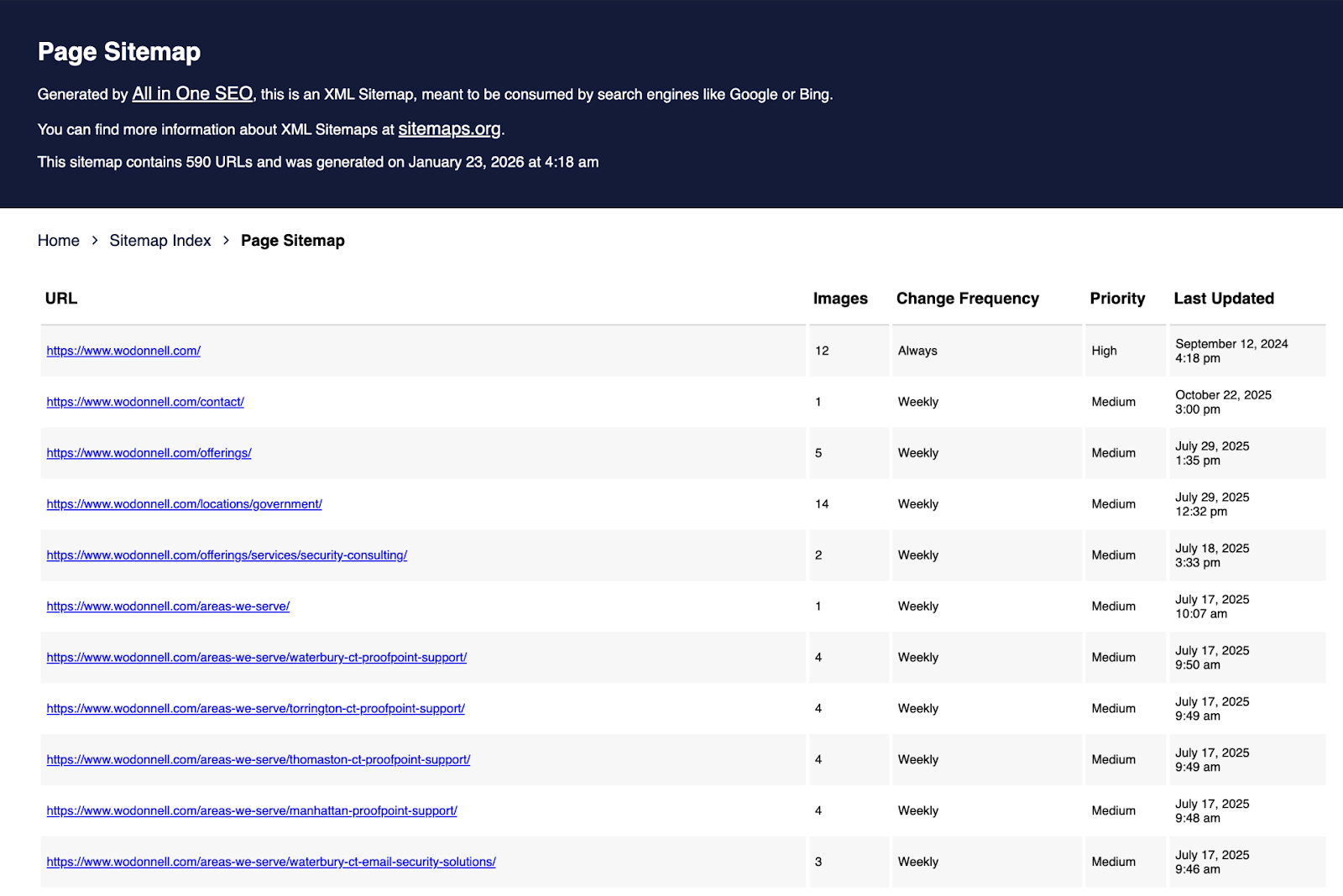
Then you control what shouldn’t be crawled.
A robots.txt file blocks low-value pages like drafts, test pages, internal filters, or thank-you pages. This keeps Google from wasting time on pages that don’t help you rank and focuses attention on pages that bring leads.
Use Schema Markup to Explain What You Do
Schema markup adds context to your site. It tells Google who you are, what services you offer, and who you serve.
This helps your site appear in enhanced results, such as FAQs, reviews, and business details.
Schema types that make sense for MSPs include:
- LocalBusiness – connects your MSP to a physical location and local searches.
- Organization – defines your company name, logo, and official contact details.
- Service – explains specific offerings like managed IT support or cybersecurity services.
- BreadcrumbList – shows page hierarchy in search results and helps users navigate your site.
- FAQPage – supports question-based results pulled from service and blog pages.
- AggregateRating – displays client ratings and review scores when eligible. Only include this if you collect the reviews yourself, not from third-party platforms!
- Person / Founder – highlights company leadership and adds credibility to your brand.
Used correctly, schema helps Google better understand your MSP.
Keep Your URL Structure Clean and Obvious
Your URLs should make sense at a glance. A clean URL tells both Google and visitors what the page is about without extra clutter.
Good MSP URL example: mspcompany.com/services/co-managed-it/
Bad MSP URL example: mspcompany.com/page?id=4829&ref=services_v2
Avoid:
- Random numbers.
- Extra parameters.
- Long strings of characters that don’t explain the page.
If someone can’t guess what the page is about from the URL, it’s too messy.
Build Internal Links That Strengthen Your Site
Internal links help Google understand how your pages connect. They also help visitors navigate your site naturally. Here’s how this looks for an MSP:
- Main Menu Links: Link to your homepage, service pages, location pages, About Us, and Contact Us.
- Service to Service: From a “Cybersecurity Services” page link to “Cloud Management.”
- Service to Location: From “IT Support for Small Businesses”, link to “IT Support in Dallas.”
- Service to Industry: From a “Cybersecurity Services” page link to “Cybersecurity Services for Banking.”
- Blog to Blog: A post about ransomware can link to another post about backups.
- Blog to Service: A blog on phishing attacks should link to your “Email Security Services” page.
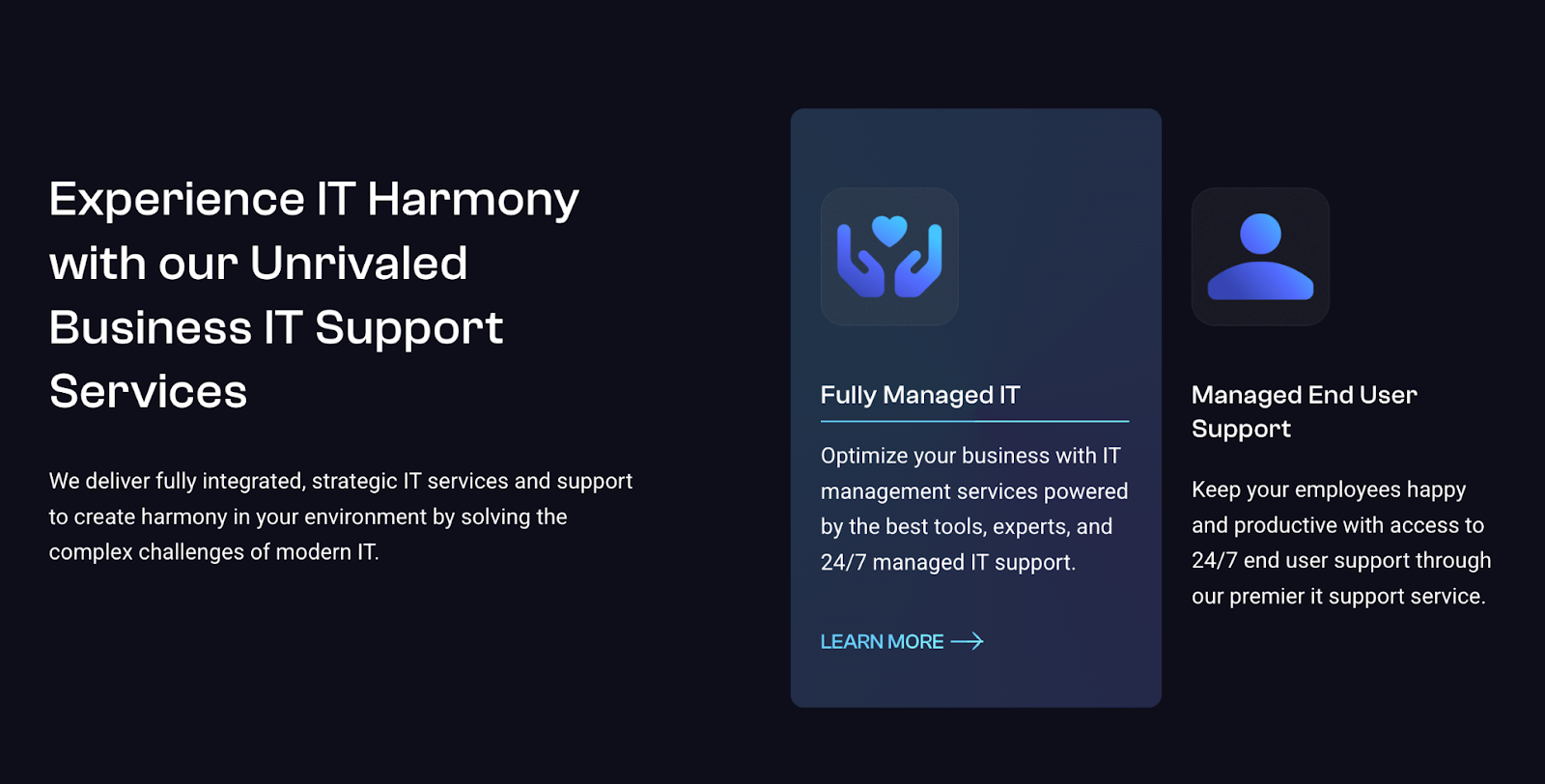
Each link reinforces relevance and keeps visitors engaged longer.
Make Your MSP Site Easy to Use on Mobile
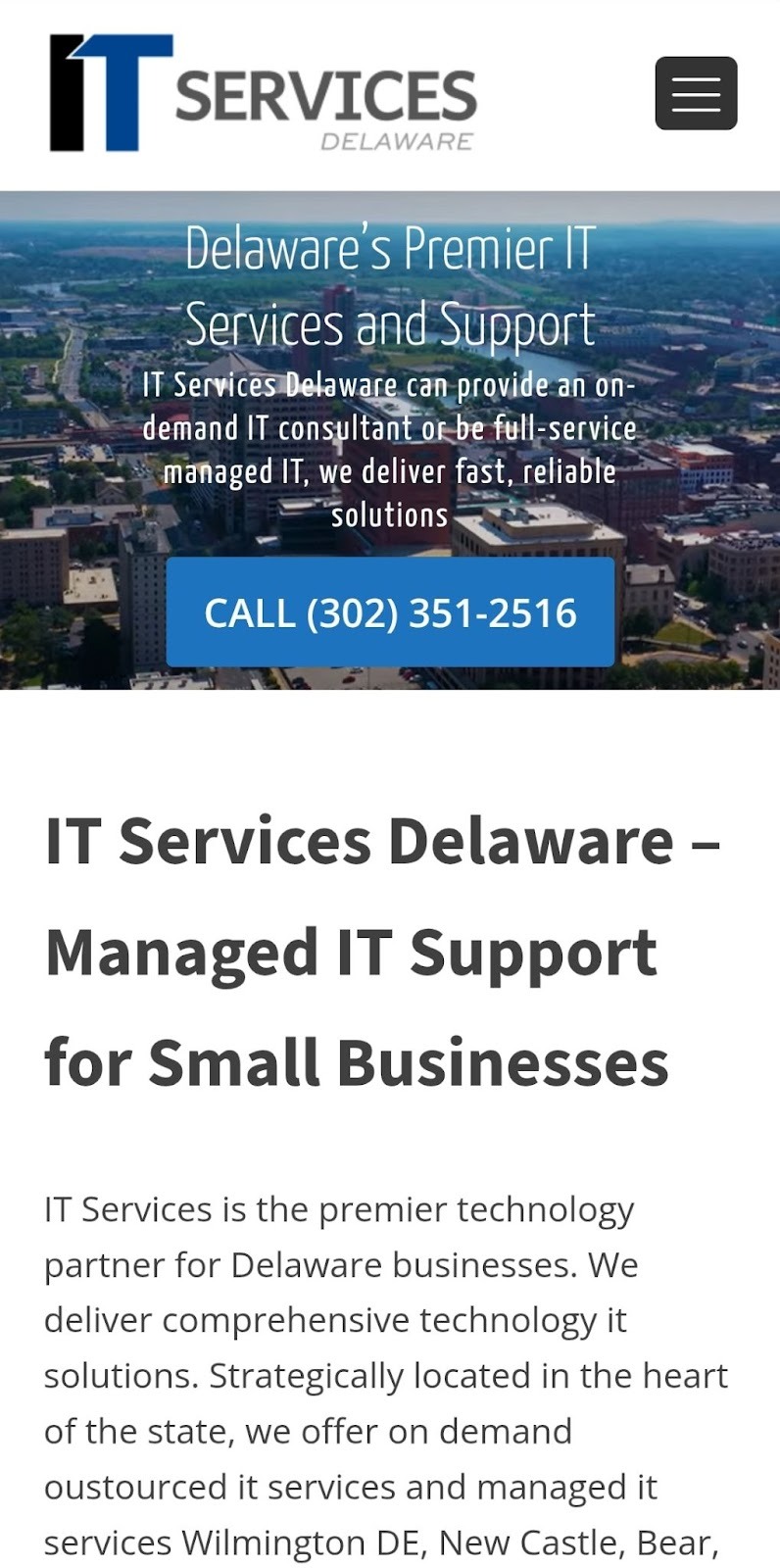
A large share of people researching MSPs do it on their phones. If your site is slow or hard to use on mobile, they leave. Mobile-friendly sites focus on:
- Readable text without zooming.
- Simple menus that work on small screens.
- Buttons that are easy to tap.
- Images that load quickly.
If it’s frustrating on a phone, it costs you leads.
Improve Page Speed and Core Web Vitals
Page speed affects how people experience your site. Slow pages feel unreliable, especially for an IT provider.
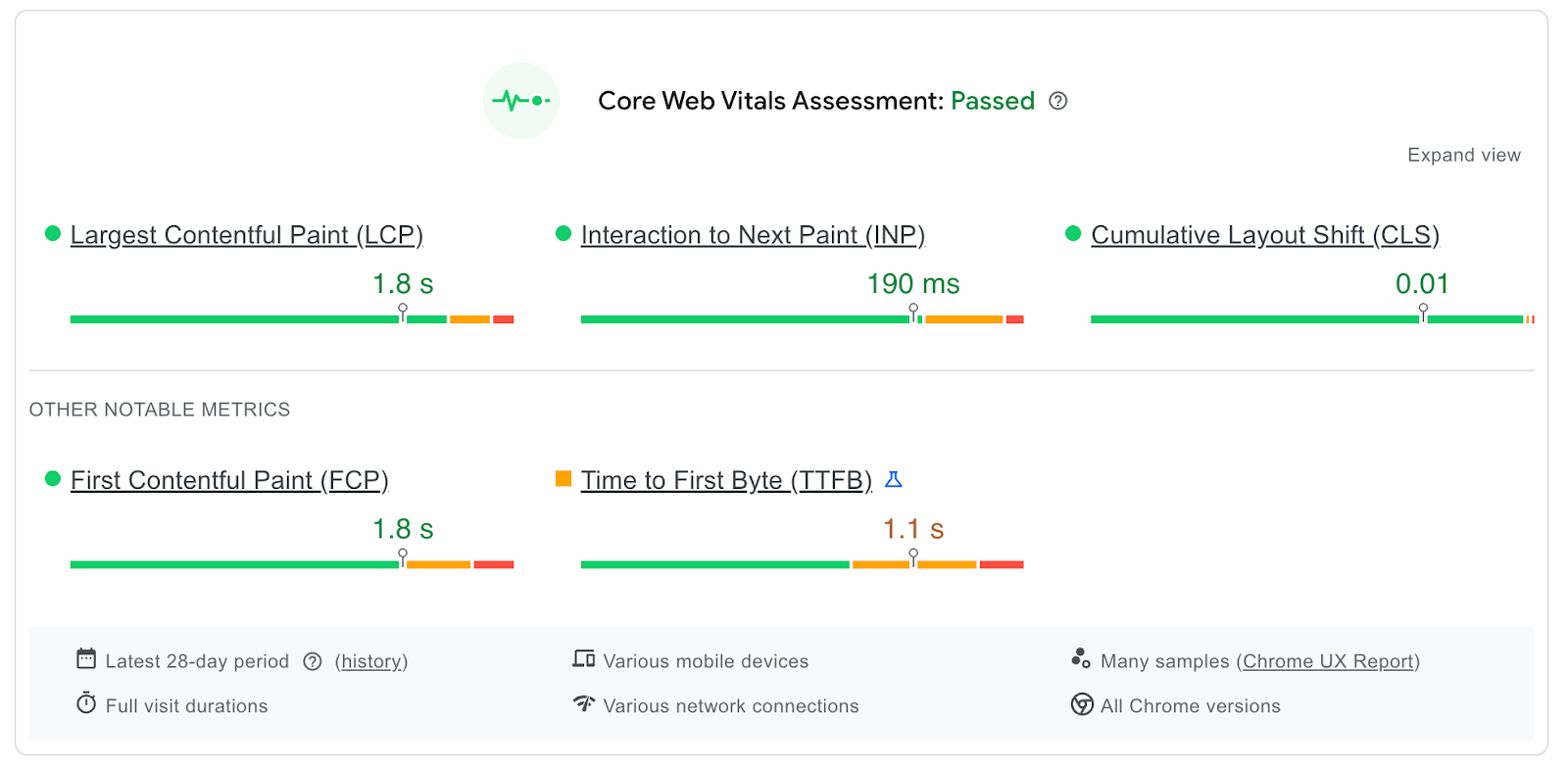
Google measures this through Core Web Vitals. The targets to aim for are:
- Largest Contentful Paint (LCP): under 3 seconds - This measures how fast the main content loads.
- First Contentful Paint (FCP): under 1 second. This shows how quickly users see content on the screen.
- Cumulative Layout Shift (CLS): close to 0 - This tracks whether the page jumps around while loading.
To improve these scores:
- Compress large images.
- Reduce and minify unused HTML, CSS, and JavaScript.
- Use caching and a content delivery network.
- Remove unnecessary plugins and scripts if you’re using a CMS like WP.
Small fixes here can make a big difference.
Run Technical Audits on a Regular Basis
Websites change. Pages get added. Content gets removed. Google updates how it crawls sites. That’s why technical checks shouldn’t be one-time tasks. Aim to review your site at least once a month.
Helpful tools include:
- Google Search Console – shows indexing status and crawl issues.
- Ahrefs – healthscore, finds broken links, crawl errors, and site structure gaps.
- Screaming Frog – scans pages for redirects, missing titles, and errors.
- PageSpeed Insights – highlights speed and user experience issues.
Regular checks keep small problems from turning into ranking drops. If you need help handling all this workload, our MSP SEO agency can support you.
Earn Links and Mentions Around the Web for Your MSP
Links are still one of the strongest trust signals Google uses. When reputable sites link to your MSP website, it tells Google you’re worth showing.
For MSPs, these four link strategies tend to work best.
1. Guest Posting
Guest posting means writing an article for another website in your space and getting a link back to your site from that article.
You find a site that already ranks and attracts your audience. You pitch a topic that fits their readers. You write the article. In return, they publish it and include a link back to your MSP site.
For MSPs, this often works well on:
- IT news sites.
- Small business tech blogs.
- Cybersecurity and compliance publications.
The goal isn’t volume. Its relevance and credibility.
2. Link Insertions
Link insertions follow a similar idea, but you don’t write a new article. Instead, you find an existing article that already ranks. You look for a gap where your content adds clarity or detail. Then you suggest adding a relevant link back to your site.
This works well because the page already has traction.
3. Directory Listings
Directory listings still matter, especially for local and industry trust. You should be listed on general platforms like Yelp, as well as IT-focused directories such as:
- MSP Alliance
- Cloudtango
- DesignRush
- ITServiceProviders.org
- TechRadar Pro Directory
- Local Chamber of Commerce
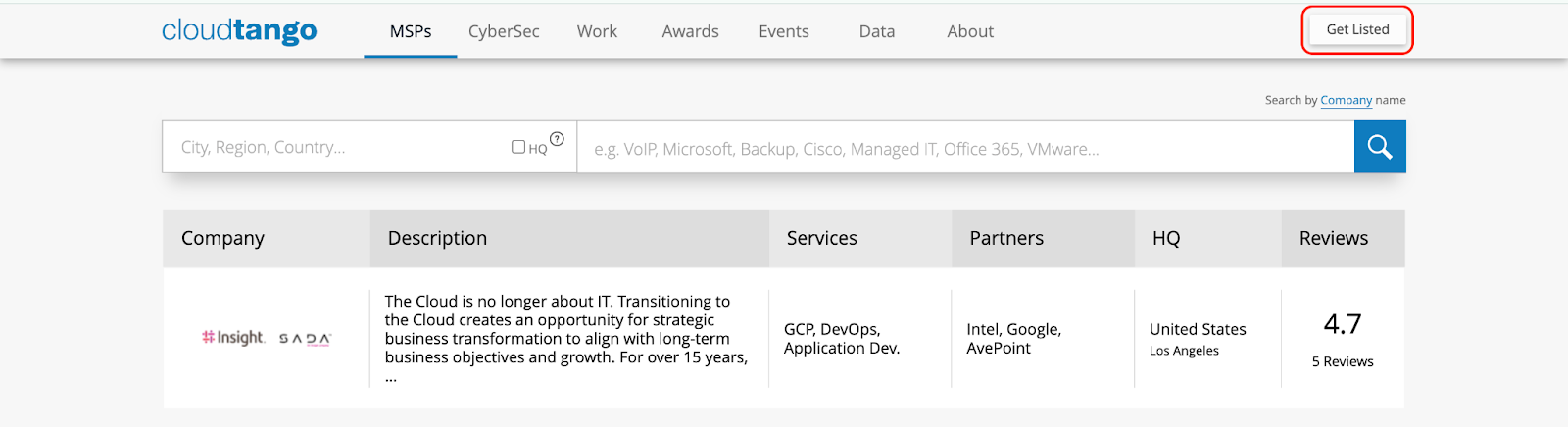
Other MSP-relevant directories include:
Just like your Google Business Profile, every listing should have:
- The same business name.
- The same address and phone number.
- Accurate services and hours.
Consistency matters more than quantity here. Follow the same optimization steps we used for your GMB.
4. Digital PR
Digital PR is one of the most effective ways to earn links and attention simultaneously. This means getting mentioned by reputable publications. For MSPs, good targets include outlets like:
- CRN
- TechRepublic
- Cybersecurity and business technology publications.
The process looks like this:
- Identify the topics people are discussing in IT and security.
- Collect original data or insights no one else has published yet.
- Turn that into a clear, data-backed story.
- Pitch it directly to journalists and editors.
When it lands, you earn strong links and serious credibility simultaneously.
Finally, Track What’s Working and Adjust Over Time
SEO isn’t something you set up once and forget. Rankings change. Search behavior shifts. Your site evolves.
To know whether your MSP SEO work is paying off, you need to track it regularly and adjust based on real data. That means monitoring visibility, traffic, engagement, and links over time.
Use a small set of tools consistently instead of trying everything at once.
- Google Search Console: Tracks impressions, clicks, indexing status, and search queries your site appears for.
- Ahrefs: Monitors keyword rankings, backlink gains and losses, and competitor performance.
- SEMrush: Tracks rankings, site health, and visibility across locations and services.
- Google Analytics: Shows how visitors behave once they land on your site and which pages drive leads.
- Google PageSpeed Insights: Measures page speed and Core Web Vitals for desktop and mobile.
- Microsoft Clarity: Records user sessions and heatmaps to see where visitors click, scroll, or get stuck.
- Hotjar: Provides heatmaps, recordings, and feedback to understand user experience issues.
- Google Tag Manager: Helps manage tracking codes and events without editing your site code directly.
When you track consistently, MSP SEO becomes predictable. You see what’s working, fix what isn’t, and keep building momentum.
Choose an MSP SEO Agency Built for Your Market
With these strategies in place, you’re set up to compete. But MSP is a crowded market, and doing this alone can take time, especially when you’re up against competitors with multi-million-dollar budgets. If you want to move faster and do it right, get in touch. We’ll help you get there.
.png)